





Document outline
Navigate by heading structure. The outline adapts to long section titles.

wowMD Pro - Free during beta
Read any Markdown with structure, record your judgment with four review types, then deliver the right artifact for people, Obsidian, backup, or AI-assisted revision. Local-first and non-destructive.
Read
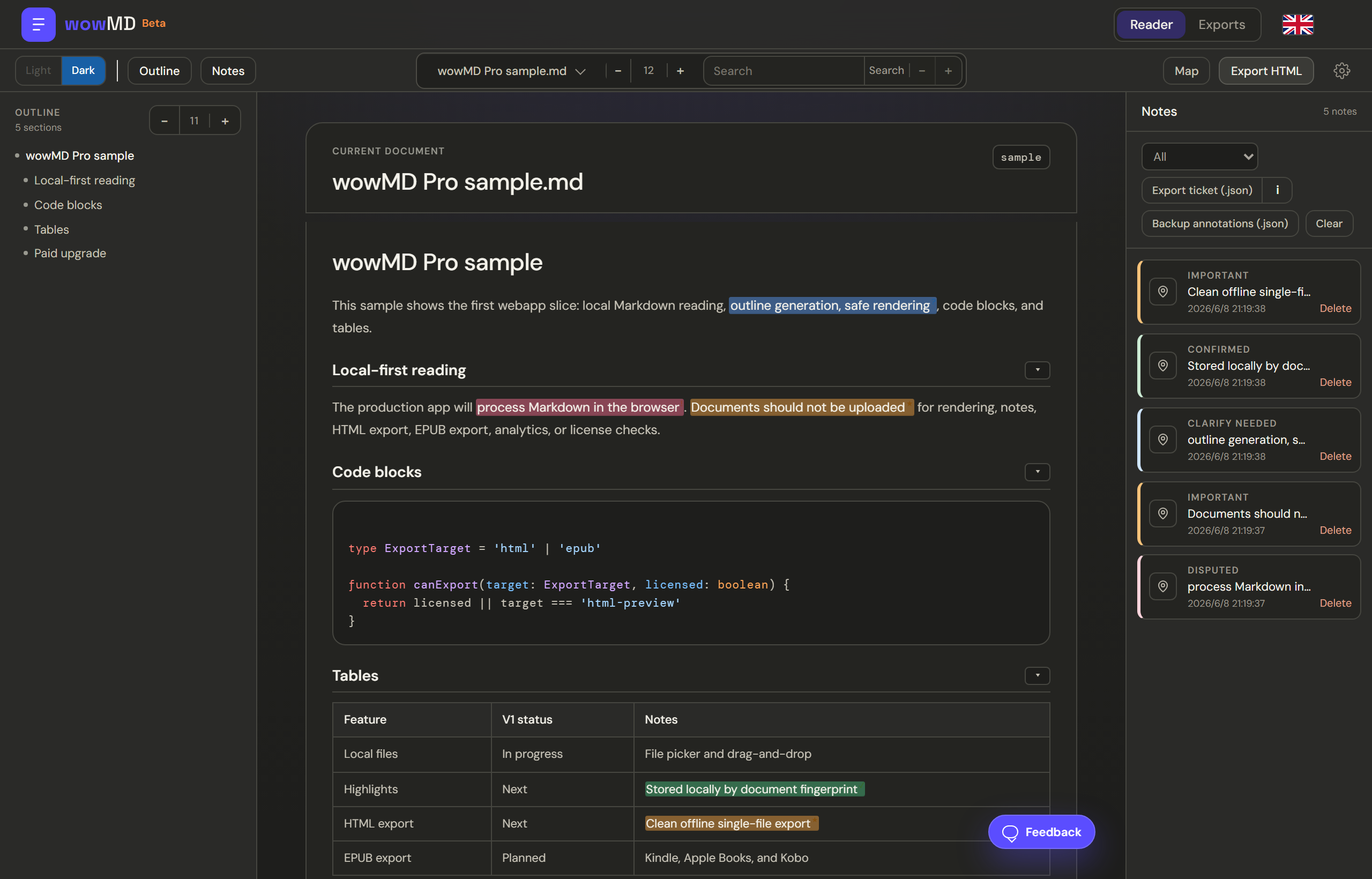
Open local .md or .markdown files, continue from the extension, then navigate with outline, folding, syntax-highlighted code, wide-table inner scroll, full-text search, themes, and adjustable font size.
Navigate by heading structure. The outline adapts to long section titles.
Collapse sections you have read and keep focus on the current passage.
Syntax highlighting, one-click copy, and inner scrolling for wide tables.
Find matches with count and prev/next controls. Read in light or dark at your chosen font size.
Annotate
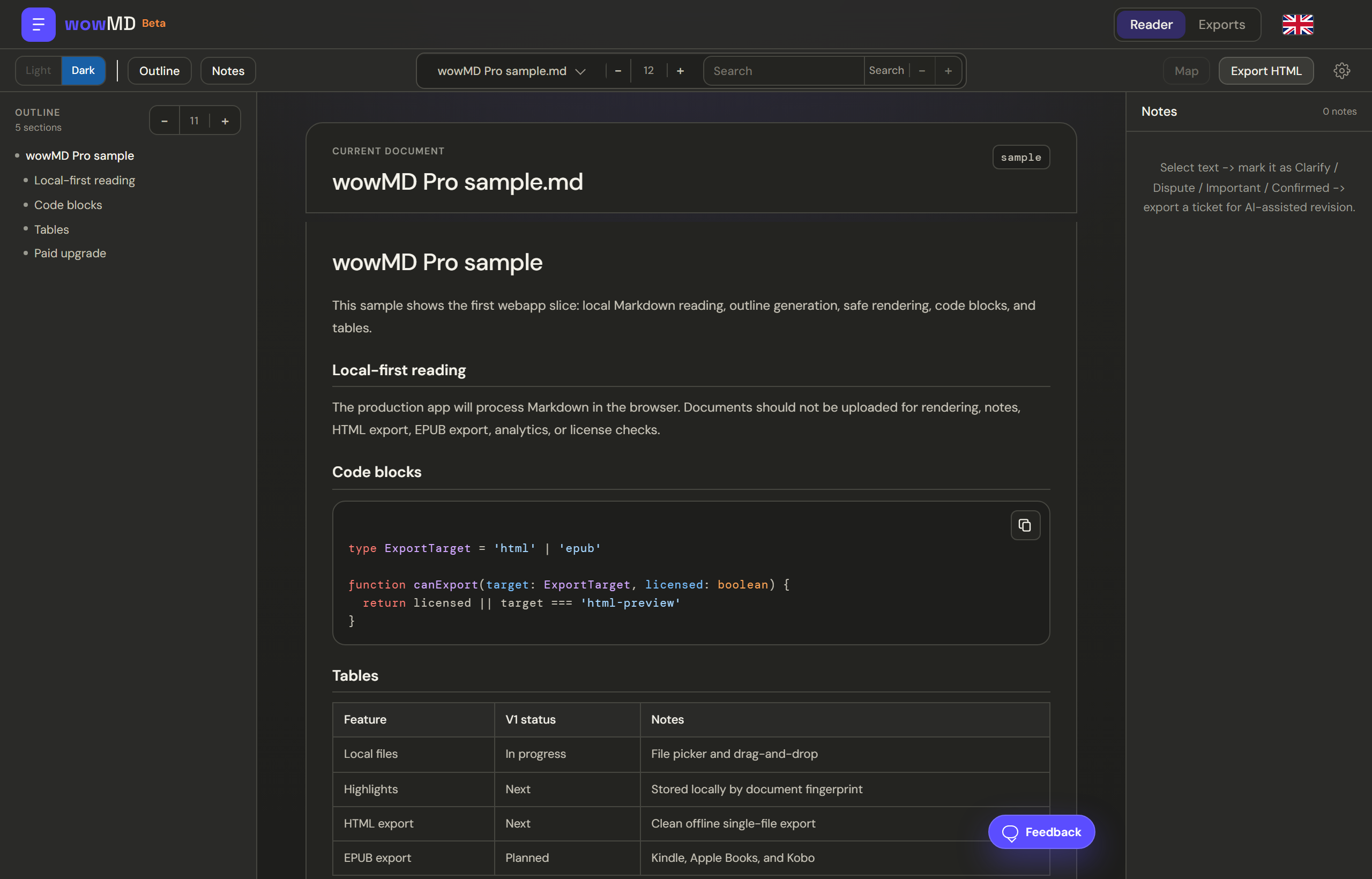
Select text, choose a semantic type, add notes or a suggested replacement. Every mark is anchored to the passage, stored locally, and survives source changes when possible.
Pick a review type or add a note with an optional suggested replacement.
Filter by type, jump back to the passage, and keep the review organized.
When the source changes, annotations re-anchor automatically; orphaned marks can be recovered with Find.
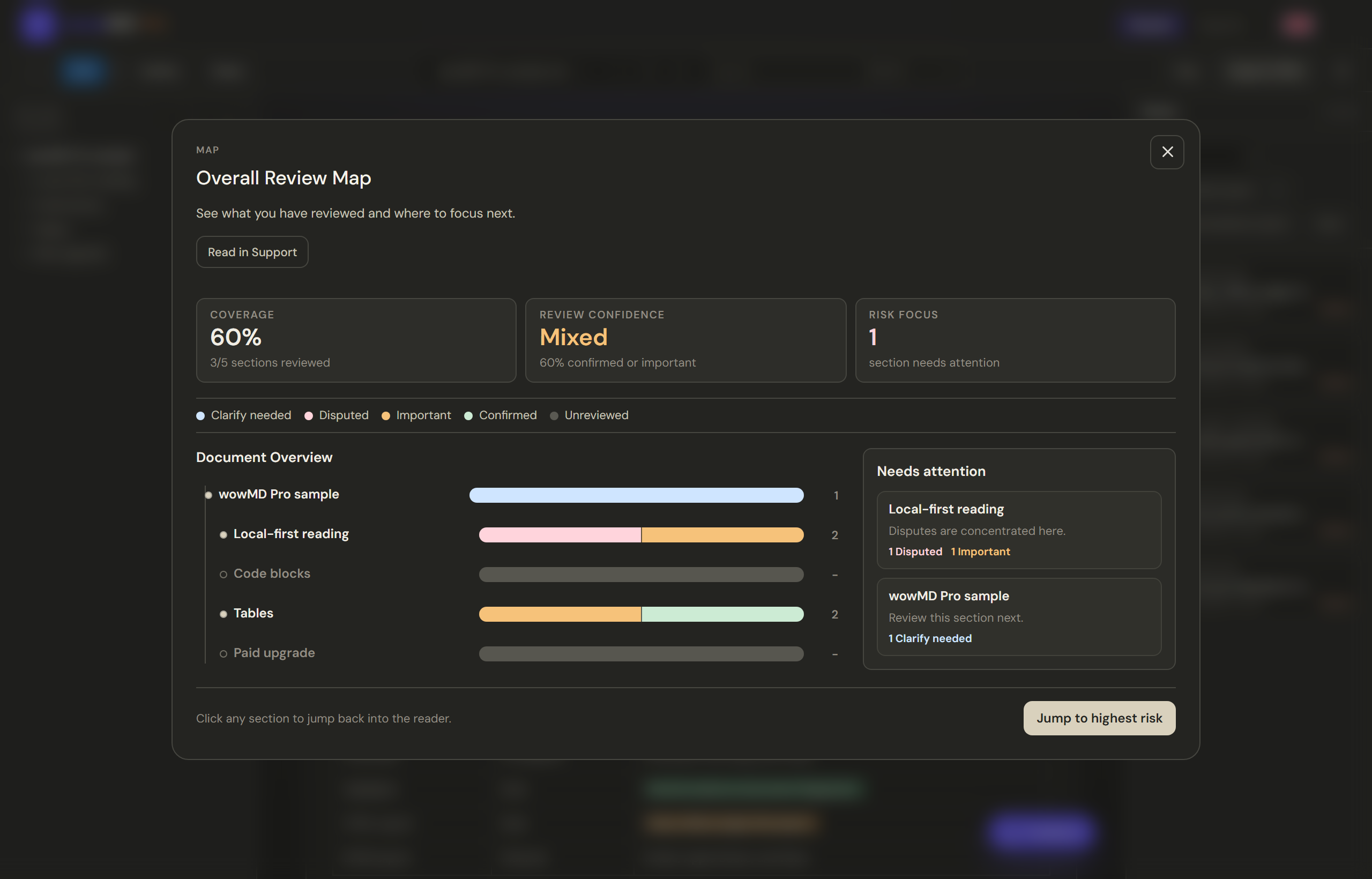
Overall Review Map
The Overall Review Map combines section coverage, review confidence, risk focus, and typed annotations so you can strengthen the document where it needs attention.
Deliver
Share annotated reading with people, send reviewed Markdown to Obsidian, back up your annotations, or hand a precise work order to an AI or editor.
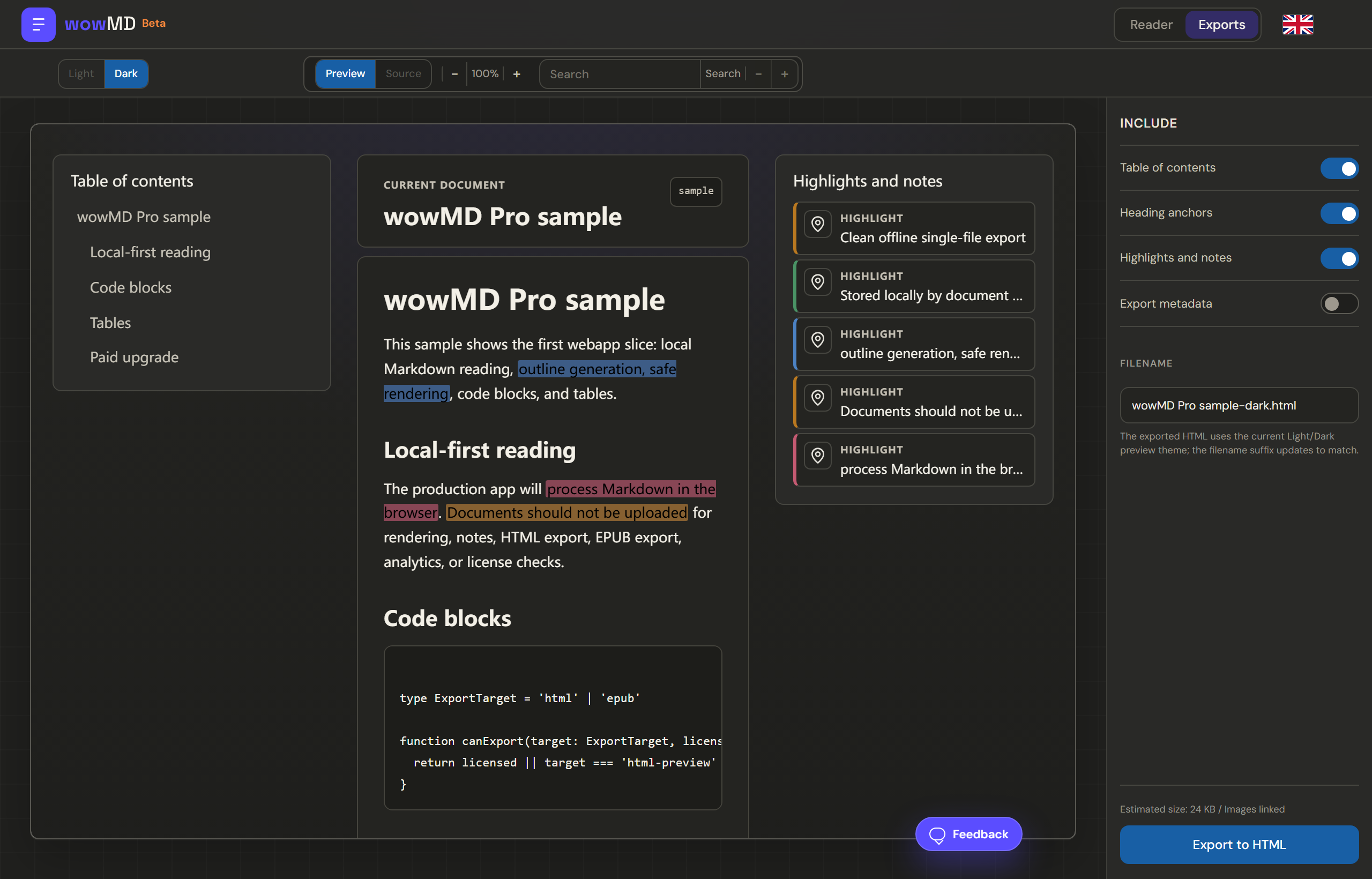
Self-contained single file preserving structure, outline, highlights, and notes. Offline-readable and opens in any browser.
A new .md copy with Obsidian-readable review callouts, wowMD tags, and review properties. It does not edit the original or apply suggested replacements.
ObsidianRaw annotations for backup or re-import. Your data remains portable and under your control.
Document snapshot, bilingual type legend, per-annotation section context, notes, and suggested replacements.
"type": "dispute"
"headingPath": ["Architecture"]
"note": "This claim needs correction."

Prompt: revise the whole document per these tickets.
Reviewed copy
Save reviewed copy creates a new .md file with paragraph-level Obsidian callouts for your wowMD marks, plus review properties and tags. It keeps the original Markdown unchanged; it does not rewrite the document, apply suggested replacements, or call AI.
Compare
| Capability | Extension | wowMD Pro |
|---|---|---|
| Price | Free | Free during beta |
| GitHub Markdown | Yes | Yes |
| Local .md files | No | Yes |
| Outline, folding, code, tables | Yes | Yes |
| Full-text search | No | Yes |
| Four review types | No | Yes |
| Overall Review Map | No | Yes |
| Cross-version survival | No | Yes |
| Obsidian-ready reviewed Markdown | No | Yes |
| HTML export | No | Yes |
| Backup JSON | No | Yes |
| Ticket JSON for AI | No | Yes |
FAQ
No. Files, annotations, versions, and exports are processed in your browser unless you choose to move an exported file elsewhere.
A converter only turns Markdown into another format. wowMD Pro is a review layer: read with structure, judge with four semantic types, then deliver HTML for people or a ticket an AI can execute.
A ticket is a JSON work order built from your annotations: document snapshot, type legend, section context, note, and suggested replacement. Paste it into an AI to revise the document by your judgment.
No. The review is non-destructive. Save reviewed copy creates a separate Markdown file; it does not overwrite the source, apply suggested replacements, or call AI.
Open a Markdown file, mark what matters, and hand off the result.
Open wowMD Pro